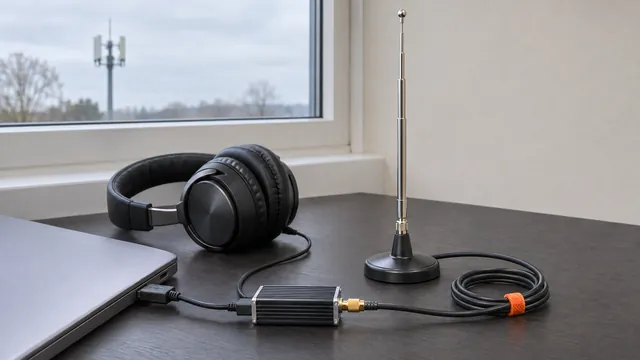
Jill again, radio engineer, soldering iron within reach, and permanently wary of anyone who claims this is "just a hobby" moments before emptying their bank account on antennas. What follows is the gear, the craft, and the legal tripwires of scanning the airwaves. Bad jokes thrown in free of charge.
So why listen to empty air at all?
Straight answer: scanning teaches you what's genuinely going on around your devices instead of leaving you to guess. Every dead zone, every baffling phone dropout, every Wi-Fi network that evaporates at 3pm on the dot has a radio-frequency cause, and once that cause shows up on a waterfall display, the hidden turns almost embarrassingly plain. Sometimes the Wi-Fi ghost haunting your flat needs identifying, evicting, and possibly reporting to campus IT. This guide walks you through the equipment, a handful of clever moves, and where the ethical fence posts stand, so you avoid becoming a cautionary footnote in someone else's write-up.
The kit: hardware and software you'll genuinely reach for
Antennas first, since a brilliant receiver paired with a garbage antenna stays garbage. Directional designs, Yagis and panel types, shine when you're tracking down one particular source, like a rogue access point lurking in the library basement. Omnidirectional antennas serve general-area monitoring better, catching everything within range rather than a single culprit. Mobile signal antennas cut for 4G, 5G, or LTE bands behave differently from Wi-Fi antennas, so match the antenna to the frequency you're chasing instead of trusting one piece of wire to do every job.
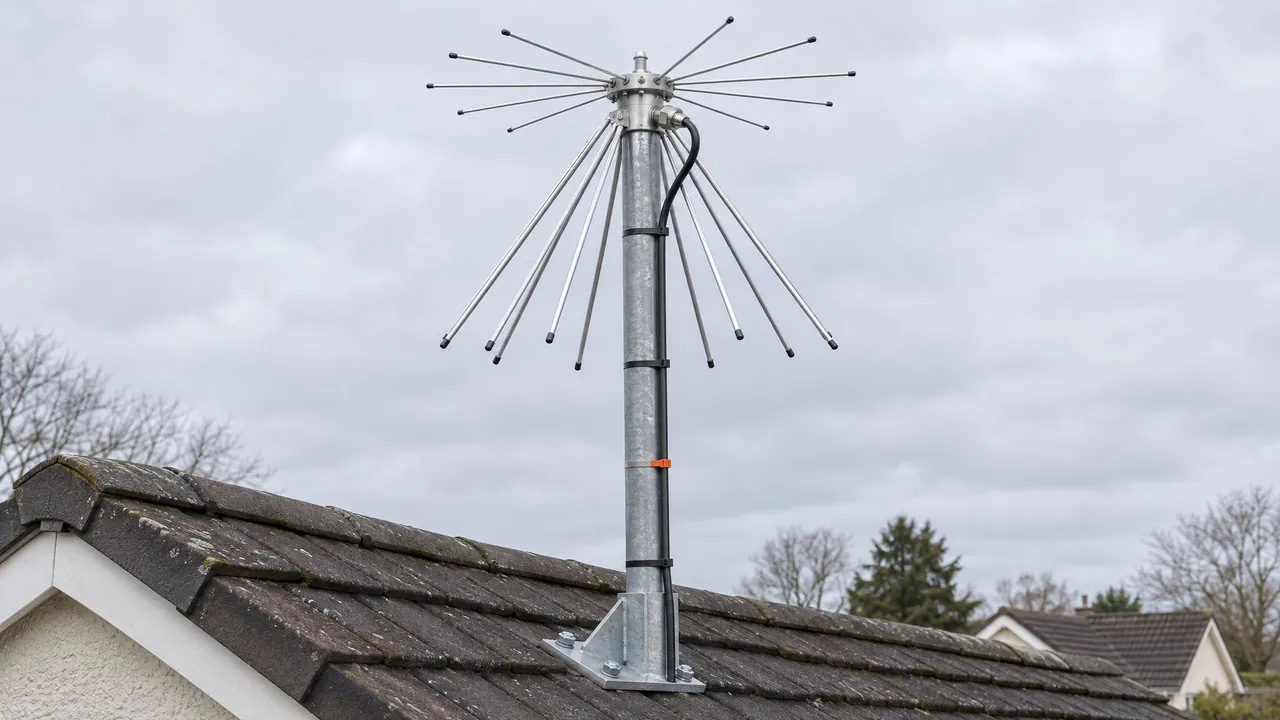
On the receiving side, an RTL-SDR dongle is the best solution, cheap, cheerful, and shockingly capable for under thirty dollars. Once the bug bites, a HackRF or an Airspy opens up wider bandwidth and finer sensitivity, handy for serious signal hunting rather than casual snooping on the neighbor's garage door opener.
Skip nothing on accessories. Good cables, the correct adapters, inline filters, and a low-noise amplifier (LNA) mounted close to the antenna mark the line between a crisp signal and an afternoon spent staring at static. Mounting hardware counts too, outdoors especially, where wind adores introducing antennas to pavement.
Software-wise, SDR# and Gqrx keep earning their keep as workhorses, CubicSDR offers a slicker waterfall, and mobile apps let you poke around when hauling a laptop feels like overkill. Rough budget tiers: beginners grab an RTL-SDR plus a basic antenna for under fifty dollars, enthusiasts graduate to a HackRF with a couple of filters, and semi-pro types sink money into an Airspy rig with proper LNAs and directional antennas for real fieldwork.
Jill's aside: mismatched impedance is how dongles die young. Stick to 50-ohm gear unless fried silicon is your favorite perfume.
From box to waterfall in half an hour
Unbox the SDR, screw on the antenna, install the driver (Zadig for Windows users, usually painless), fire up your chosen software, select a frequency range, and start the waterfall. Log everything you see, since messy notes still beat a blank page. A display that turns into a wall of noise means your gain is cranked too high, so back it off until the noise floor settles into something readable. A screaming, static-choked waterfall signals a receiver throwing a tantrum, never a strong signal.
Moves that separate hobbyists from people who merely bought expensive toys
Sweep wide bands while exploring, then lock onto a specific frequency once something grabs your eye, since patience rewards the curious here. Rotate a directional antenna while tracking signal strength and you can triangulate a source with nothing fancier than geometry and stubbornness. Train yourself to read signatures: Wi-Fi beacons carry a distinct periodic pulse, LTE control channels appear as structured blocks, GPS satellite pulses stay faint yet rhythmic once you know the look. Watch for time-of-day patterns too, since scheduled transmissions repeat, and mistaking a recurring broadcast for something exotic is a classic rookie stumble. Maintain a personal band map with timestamps, locations, and frequency notes, and scattered observations harden into actual knowledge. Jill's trick: harmonics appear as fainter copies of a strong signal at multiples of its frequency, so before celebrating a "mystery transmission," check that it's merely an echo of something boring.
When everything misbehaves
Overload, intermodulation, and loose connectors cause most of the pain. A display cluttered with phantom signals calls for attenuation rather than more gain. Verify your grounding, move the antenna outdoors if you can, and swap suspect cables before blaming the SDR itself. Replacing hardware comes last, since most trouble traces back to configuration or connectors.
Where I turn serious: law and conscience
Listening to unencrypted public broadcasts, amateur radio, or open spectrum for educational purposes stands on solid ground almost everywhere, but intercepting private voice or data communications turns illegal fast, and local rules differ, so check your country's equivalent of the FCC before assuming anything. Conscience reaches past the letter of the law too: never target individuals, never disclose sensitive material you happen to catch, and if private content lands in your lap by accident, delete it immediately and tell no one, full stop. Hobbyists and students hold plenty of legitimate ground to roam, from public broadcast monitoring to protocol experiments with your own synthetic signals to band observation for mapping. If you're transmitting rather than passively listening, run a proper test lab setup and anonymize any logs you keep.
Projects that earn their keep
Fresh beginners can map a dorm or lab and name the five strongest signals bouncing around the space. Intermediate hobbyists might hunt down a rogue access point armed with a directional antenna and old-school triangulation. Ambitious students can assemble a small controlled testbed with their own transmitters to study protocol behavior safely, then turn it into a lab report. Award yourself the badge: "Found the Router of Doom" - it's unofficial, yet deeply earned.
Where to keep learning without stepping on a rake
University lab policies and regulatory body websites come first for legal clarity. Online SDR communities and tutorials patch the practical holes, and IMPAQ's mobile signal, Wi-Fi, and specialized antenna categories reward browsing once you know which frequency range you're chasing. Jill's standing recommendation stays any solid RF engineering textbook paired with hands-on tinkering, since theory alone never teaches what a bad connector sounds like.
Closing transmission
Band scanning pays back patience, curiosity, and honest respect for boundaries you didn't draw yourself. Start small, write everything down, and let your questions pick the next purchase rather than the reverse. Quick checklist: choose an SDR, choose an antenna, install the software, scan deliberately, document findings, stay legal throughout. Now go listen responsibly, since the airwaves are crowded enough without a lawsuit joining the mix.