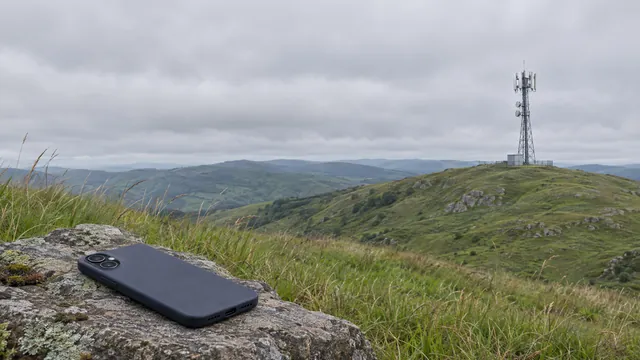
Three bars, nothing loading, and a pizza joint that wanted my order confirmed in under ninety seconds. That was me on a ridge trail last autumn, arm stretched skyward with my phone held aloft, while my hiking partner laughed herself nearly off the hillside. The pizza happened (barely, and stone cold by the time I reached it). What stuck with me, though, was how little I understood that moment says about why phones stop talking to the world. So here is my field-tested, lab-approved, faintly cheeky rundown for working out what's gone wrong before you hurl your handset into the nearest lake.
The rushed version
Restart the phone. Ask if everyone around you has the same trouble. Inspect the hardware. Measure the real signal. Try an external antenna. Then escalate to a booster or a professional. Everything in full below; print it and tape it to your dorm wall.
What "weak signal" actually means
People mix up symptoms with root causes constantly, and honestly it makes my eye twitch. Dropped calls, downloads moving like tar, stuttering video calls, service blinking in and out the way a dying fluorescent tube does: all symptoms. The underlying cause? Take your pick from a coverage hole, interference courtesy of your neighbor's garage door opener, a cracked internal antenna, corroded cabling, or a tower groaning under too many connected devices during finals week.
Three metrics and you'll sound competent at parties (dubious value, granted, but still). RSRP and RSSI describe raw strength: how loudly the tower is shouting at you. RSRQ and SINR describe quality, meaning how much garbage is mixed into that shout. SNR is your signal-to-noise ratio, the cleanliness of the whole transmission. Ballpark figures: RSRP above -80 dBm is strong, -90 to -100 works but grumbles, and anything below -110 means you're basically down to smoke signals.
Ask yourself a few questions. Is this happening everywhere, or only in your basement flat? Calls only, or data too? One app in particular, or everything? Those questions alone usually point you at the right fix before you've touched a screwdriver.
Five things to try before panic sets in
Reboot and toggle airplane mode first. Power cycling clears a confused radio stack far more often than people give it credit for, and it costs thirty seconds. Second, inspect your SIM card and account status: reseat the SIM, confirm your plan hasn't lapsed, and see if your carrier is mid-meltdown in your area (it happens more than carriers would ever admit). Third, dig into network settings and try manual band selection rather than letting the phone guess; prefer LTE or 5G when offered instead of sliding back to older, slower bands. Fourth, pull the phone out of that chunky rubber case, above all if there's a metal kickstand or card holder built in, since that hardware blocks radio waves like a Faraday cage at times. Fifth, shut down background apps eating your bandwidth or switch to a lighter data mode.
One micro-tip, offered with affection: murmuring encouragement at your phone does nothing for LTE acquisition, but a proper signal calibration app will hand you genuinely useful information.
Inspecting the physical kit
Examine antennas, connectors, and cables for corrosion, looseness, or that green crust signaling moisture somewhere it had no business being. A crushed coax line bleeds off more signal than most people imagine, sometimes enough to turn a workable link into pure static.
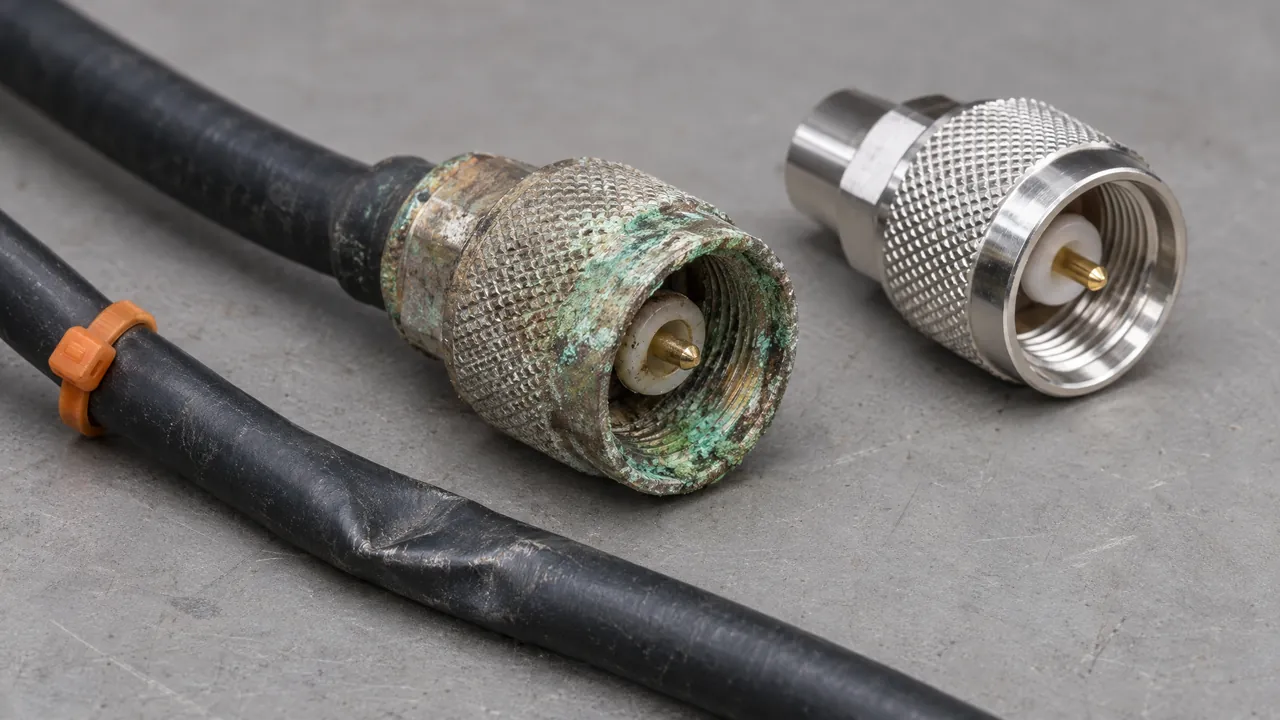
Antenna orientation counts for more than folks assume. A directional antenna must point at the tower, not vaguely "that way." Rotate it ninety degrees if you suspect a polarization mismatch; on occasion that single adjustment cures a bizarrely weak connection.
Map your obstructions. Metal window screens, concrete walls, foil-backed insulation: all of them devour radio waves for breakfast. Wander your room with the phone in hand and watch the bars shift; you'll stumble on dead zones you never knew about. Keep an eye out for nearby noise sources too. Microwaves, cheap LED drivers, and ancient two-way radios all spray RF filth that muddies reception.
The engineer's toolkit, for real answers
Apps like SignalCheck or NetMonster hand you numeric readouts in place of vague bars, which is an enormous upgrade. A handheld spectrum meter goes further still, if you can borrow one through a lab or club.
Numbers in hand, read them properly. Low RSRP alongside decent RSRQ usually points to a coverage problem: you're simply too far from the tower. Decent RSRP with garbage SINR fingers interference as the villain. Solid figures across the board yet sluggish data means congestion, probably forty other students streaming the same show you are.
Think about antenna gain and MIMO arrangements when a single antenna falls short; a 2x2 or 4x4 MIMO setup can genuinely lift throughput in marginal spots. And bear in mind that splitters, amplifiers, and long cable runs all add loss, while pushing amplifier gain too high invites oscillation that can genuinely irritate your carrier's base station. Test a portable directional panel or magnetic vehicle antenna on a temporary basis before you commit to anything permanent; that's the fastest route to confirming an external antenna will solve your problem.
Run a quick link-budget sanity check: stack your transmit power plus antenna gain, subtract cable and connector losses, and compare against the receiver sensitivity threshold. If the math fails to clear that threshold with room to spare, no amount of fiddling rescues the situation.
Picking and positioning your antenna
Choose directional when you're chasing a single distant tower; choose omnidirectional when you need coverage from several directions or you're mounting on something that moves, a vehicle say. Height matters enormously, and every extra meter of elevation genuinely helps, though rooftop installs swap convenience for weatherproofing headaches compared with attic placements.
Do the mounting properly. Torque your N-type connectors correctly, weatherproof every joint, and observe basic lightning safety if the roof is your destination. For pushing a signal through a building afterward, Wi-Fi antennas handle that job.
Antenna placement isn't feng shui, but done right it will speed up your dating app load times, and honestly, isn't that half the point of modern existence?
Boosters, repeaters, and dodging regulatory grief
Boosters handle local indoor dead zones nicely, but stick to carrier-approved equipment. Unregistered boosters can interfere with the network and earn you a remarkably unfriendly letter.
Where mobile trouble becomes Wi-Fi trouble
Occasionally the smartest fix is an outdoor backhaul antenna pulling in mobile signal, then redistributing it indoors through a solid Wi-Fi arrangement. Hybrid setups of this kind rescue more dorm rooms and rural houses than people expect.
Odd cases worth flagging
Vehicle installs, IoT sensors, and GPS receivers each demand different antenna types and mounting tactics than a standard phone setup. Check the specialized antennas category before assuming the default option will do.
The checklist you can print
Nail down the scope: just you, or everyone nearby? Reboot, then check SIM and account. Fire up a metrics app and record RSRP, RSRQ, SINR. Step outside or reposition and retest. Inspect antenna and cabling. Bolt on a temporary external antenna. Calculate cable loss and weigh amplifier or booster options. Ring your carrier or a professional if you're still stuck.
Kit worth keeping around
SignalCheck, NetMonster, and LTE Discovery cover the app side. A portable spectrum analyzer and a signal level meter help on the hardware side. Keep an SMA wrench, a basic multimeter, and a cable tester in your bag. Carrier coverage maps and the IMPAQ MSN website fill out the reference shelf.
Myths begging for retirement
High-gain antennas aren't automatically superior; they trade coverage angle for distance, and the wrong pick makes things worse. Pushing amplifier gain ever higher doesn't always help either, and it can bite you hard. Don't treat every signal type as identical in behavior, and never wire in an amplifier before testing.
Where to head from here
Diagnosing weak signal is a logical process, and a mystery only to the uninitiated. Begin simply, measure what's genuinely happening, adjust, repeat. Grab the checklist, log your readings, and look into antenna solutions when you're ready for the next step.