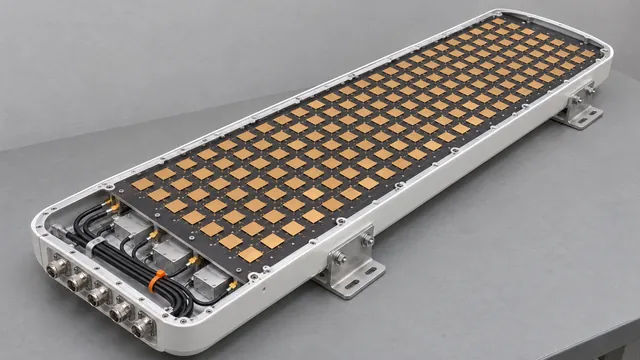
There's a lecture hall somewhere right now with a professor sketching tiny arrows between two boxes, saying Massive MIMO in the reverent tone other people save for their firstborn. I sat through plenty of those lectures myself, back before I swapped chalk dust for soldering irons, and I learned the secret: the ideas are nowhere near as frightening as the vocabulary makes them look. This piece takes apart MIMO, beamforming, and the rest of the acronym parade, connects each one to real antenna hardware, and adds a handful of lab ideas so you have something tangible to show besides a highlighted textbook page.
Why lecturers wave their arms and call 'massive MIMO' magic
Jargon works like a compression algorithm for brains. When a professor says "spatial multiplexing gain," what they mean is "more antennas, more data lanes, and I refuse to explain this from scratch every class." The phrase also flags the topic as connected to live research, which, fair enough, it is. Strip away the theatrical gestures and most of this material turns intuitive the moment you see it drawn out. Jill's note: your professor isn't grading you on reciting "beamforming" with a straight face. They want you to picture radio waves physically doing something. That's the entire game.
MIMO (Multi-Input Multi-Output), the heavy hitter
Imagine a single-lane country road where every car (your data) waits its turn. Now widen it into a four-lane highway. That's MIMO in a nutshell: several transmit antennas and several receive antennas sharing one frequency at the same moment, rather than one lonely antenna hauling everything. Two antennas speaking to two antennas gives you a basic 2x2 arrangement, and the lane count grows from there.
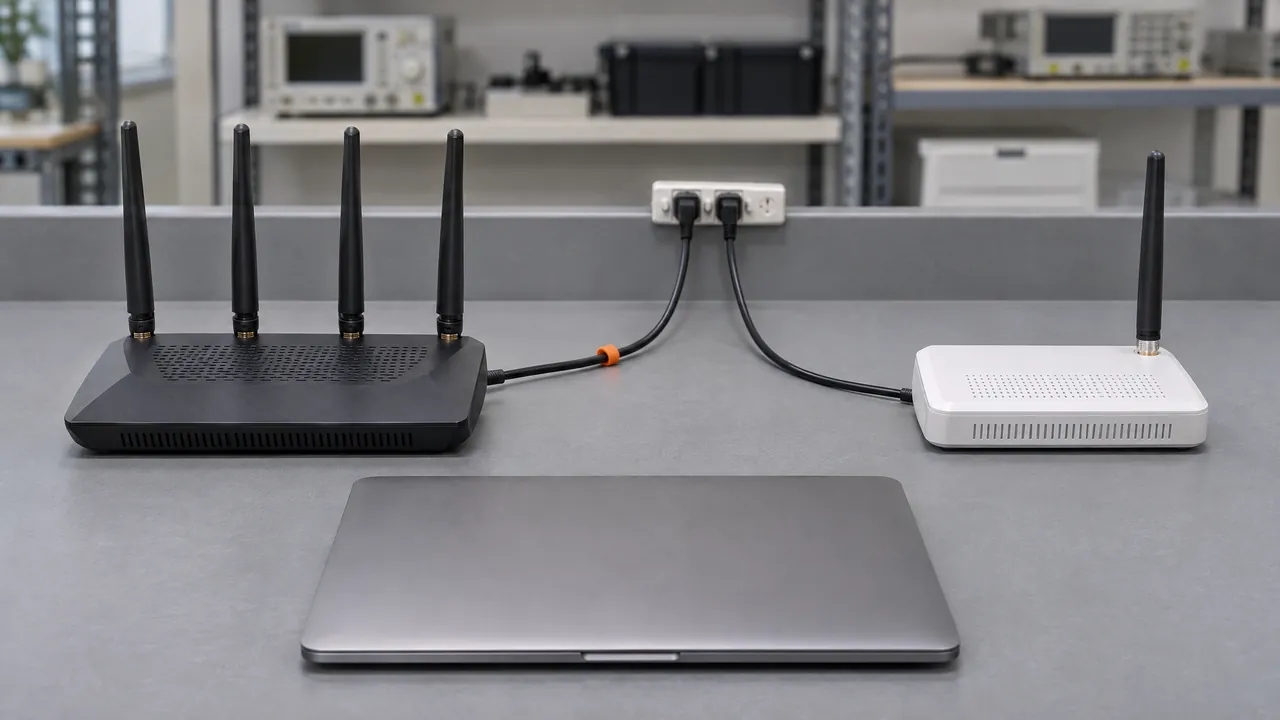
MIMO pays its rent two distinct ways, and students confuse them constantly. Spatial multiplexing splits your data into separate streams and fires them at once, lifting throughput the way three open grocery checkout lanes beat one at getting the line moving. Diversity works almost in reverse: it sends identical information across multiple antennas so if one path drowns in fading or interference, another copy makes it through, like carrying three umbrellas to a wedding once you've accepted that Seattle weather refuses to commit to anything.
You'll spot configurations written as 2x2, 4x4, or the showstopper, Massive MIMO, meaning dozens or hundreds of antenna elements stacked on a single base station. The numbers simply read transmit count by receive count. Extra antennas sound like a free lunch, until hardware complexity, power draw, and the raw physical channel slap a ceiling on the gains. Roughly speaking, your capacity multiplier caps out near the smaller of your transmit or receive antenna count. No differential equations needed, just an honest feel for bottlenecks.
Lab tip: pick up two Wi-Fi cards, one running 1x1 and one running 2x2, and measure file transfer speeds on the same network. The gap is dramatic enough, often, to make the whole lecture snap into focus.
Beamforming, the pointer laser for radio
So MIMO adds lanes. Beamforming aims the headlights. Rather than blasting signal in all directions like a floodlight, an antenna array running beamforming concentrates its energy, concert-spotlight style, right where the receiver sits. That's the whole concept, wrapped in fancier language.
The machinery underneath comes down to controlling the phase and amplitude of the signal at every element in an array so the waves stack constructively in one direction and cancel elsewhere. Analog beamforming steers the entire array from one set of controls: cheap and quick, but stiff. Digital beamforming hands each antenna its own processing chain: flexible, yet power-hungry and pricier. Hybrid splits the difference, which explains why everyone name-drops it around mmWave 5G gear.
The reward shows up as better signal-to-noise ratio, sharper interference rejection, and longer reach, but none of it comes free. You need accurate channel knowledge and properly calibrated hardware, or your carefully aimed beam ends up shining at a wall. In a small apartment with two devices ten feet apart, beamforming is overkill, on par with a sniper rifle for swatting a fly. For long outdoor links or dense mmWave rollouts, it's close to obligatory. Want a mental image? Look up lobe pattern diagrams showing a main beam flanked by deep nulls carved into either side. That's steering doing its job.
More buzzwords your lecturer will drop
Massive MIMO: tens or hundreds of antenna elements packed into one array for enormous capacity gains, paid for in signal processing headaches.
MU-MIMO: serves several distinct users at once through separate spatial streams, unlike SU-MIMO, which funnels all those streams into a single device.
OFDM: carves one wide channel into many narrow subcarriers, making the signal far tougher against multipath echoes bouncing off buildings.
SISO and SIMO/MISO: the baseline cases, one antenna talking to one antenna, or a mix with multiples on just one end. Handy as the control group in any lab comparison.
Spatial multiplexing versus diversity: worth repeating, since it trips people up on exams. One strategy chases speed, the other chases reliability, and real systems juggle both as conditions shift.
Why any of this matters
Mobile signal antennas: MIMO and beamforming live far outside the classroom, showing up directly in 4G and 5G antenna design and in signal boosters. A directional MIMO antenna with two ports makes sense for a rural fixed-wireless install chasing a distant tower; a single-element booster fits a plain coverage gap in a basement. One rule spares you plenty of embarrassment: match antenna port count to your device's real transceiver chains. Wiring a 4x4 antenna into a 1x1 modem buys you nothing except wasted hardware and a confused shrug from your signal meter.
Wi-Fi antennas: beamforming is baked into the 802.11ac and 802.11ax standards, part of why modern routers feel noticeably snappier than the ones from a decade ago. Choosing among sector, panel, and omnidirectional antennas comes down to your deployment: raw coverage (diversity thinking) or concentrated throughput toward known client spots (multiplexing thinking).
Specialized wireless antennas: GPS units, IoT sensors, and vehicle-mounted systems lean SISO by design, but they still gain enormously from directional gain and deliberate null placement to reject interference. Vehicle-to-everything links and industrial rollouts lean harder by the year on phased steering and ruggedized arrays built to shrug off vibration, temperature swings, and whatever else an industrial yard throws at them.
Jill's purchasing tip: before money changes hands, check port count, radiation pattern, gain figure, and polarization against what your MIMO or beamforming setup actually demands. Paper specs mean nothing when they clash with your transceiver.
Quick practical lab and demo ideas for students
Run a 2x2 MIMO Wi-Fi test and clock file transfer speeds against a single-stream connection. Borrow or build a small phased-array rig, even an SDR-based one, and watch SNR climb and fall as you steer the beam electronically. Swap an omnidirectional antenna for a directional one on the same device and chart the coverage-versus-throughput tradeoffs yourself.
TL;DR, the professor cheat-sheet
MIMO adds data lanes for speed or backup copies for reliability. Beamforming aims the signal instead of spraying it everywhere. Reach for MIMO when you want more throughput or resilience, beamforming when you want range or precision, and always confirm your antenna specs match your hardware before you go blaming the firmware.
Visuals, figures, and further reading
A MIMO block diagram, an animated beam pattern showing steering and nulls, side-by-side antenna photos, and a bar chart comparing 1x1 against 2x2 throughput will teach you more than another paragraph of prose ever will. Pair those with a solid textbook chapter, an approachable tutorial article, and the IMPAQ MSN pages for a glimpse of how all this theory lands on a shelf as actual hardware.