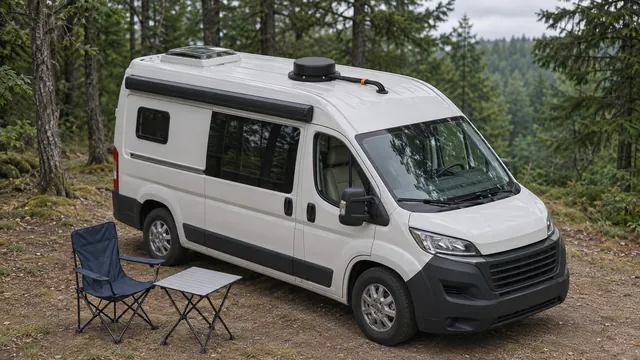
A student sits parked on a gravel shoulder miles from anywhere, hotspot light pulsing away, watching a professor's face lock up mid-sentence, one eyebrow frozen forever. I've seen it. I've watched my share of antennas sit on car roofs like expensive decorations, accomplishing nothing. Before your next semester on wheels becomes a study in buffering endurance, let's sort out what genuinely works, the reasoning behind it, and how to buy gear that pulls its weight rather than just looking tough on a dashboard.
Why any of this matters when your car is your home base
Here's what nobody warns new road scholars about: out there, signal is oxygen. You need it for remote labs, for calling for help when your GPS mistakes a dirt track for a highway, for pushing research data up before your battery gives out in some Nebraska parking lot. A solid antenna setup converts a desperate one-bar scrape into something you can actually work with. That's the whole mission behind IMPAQ MSN: best info and tools for cellular antennas, Wi-Fi antennas, and the specialized equipment, GPS, IoT, vehicle-mounted units, that keeps students linked to civilization even when civilization sits forty miles down the road.
The jargon to sort out before you spend a dime
Nobody translates this into plain speech, so I will. Gain tells you how hard an antenna pushes signal in one direction. Polarization covers the orientation of radio waves, and a mismatch between your antenna's polarization and the tower's is a classic first-timer headache. Directionality means certain antennas concentrate energy in a single direction, which shines for distant towers, while others scatter it in every direction, which suits you better when you're rolling. Frequency bands, the 4G, 5G, LTE varieties, decide what your antenna can hold a conversation with. Then there's VSWR, voltage standing wave ratio if you want the full mouthful, which reveals how well your antenna radiates energy versus reflecting it back and sulking. High gain sounds seductive on a spec sheet, but it usually buys a narrower pattern, so a high-gain antenna pointed at the wrong tower loses to a modest omnidirectional one pointed at everything.
Choosing your gear: antenna types worth your attention
- Cellular antennas (4G/5G/LTE/GSM) arrive in directional and omnidirectional varieties. Directional models are the play when you're staying locked onto one faraway tower, perfect for students streaming lectures from genuinely remote spots. Omnidirectional versions serve you better in motion, when you'd rather eat gravel than keep re-aiming anything.
- Wi-Fi antennas, also split into omni and directional camps, tackle a separate beast entirely: grabbing that feeble campground network or reaching a campus hotspot from a parking lot three buildings away. Line-of-sight rules here with an iron fist, more than most students ever bargain for.
- GPS antennas quietly turn your fieldwork mapping from "somewhere in this county, roughly" into coordinates you can trust, which your research will thank you for.
- Specialized vehicle-mounted units, the IoT and industrial-grade equipment, move sensor data and telemetry for students hauling lab gear across the country. Glamour-free, yet indispensable once your coursework involves real instruments.
- And accessories deserve respect too: boosters, mounts, lightning arrestors. Boosters in particular demand a compatibility check against carrier rules, since certain configurations are flatly illegal to operate without registration.
Where the thing should live
Roof mounts deliver the strongest overall performance and the cleanest shot at distant towers, though they'll test your installation patience. Trunk mounts land in the middle, weaker results but far gentler on the vehicle. Mirror or rail mounts fit smaller antennas and slimmer budgets. Magnetic mounts are gloriously convenient right up until a gust of wind or a car wash reminds you convenience has a ceiling, and grounding through a magnet alone tends toward fantasy. Weigh aerodynamics too, and ask yourself if your sunroof or roof rack is headed for a very awkward collision with your new antenna. Route cables with care, dodge pinch points, and seal every entry point as if your vehicle's interior depends on it. It does.
Fitting the equipment to the trip you're actually taking
Begin with the mission. Commuting campus to campus demands nowhere near the firepower of off-grid fieldwork or full vanlife drifting. Verify frequency compatibility against your carrier's bands, because a gorgeous antenna tuned to the wrong spectrum is merely expensive decoration. Then decide: separate antennas for cellular, Wi-Fi, and GPS, or one combo unit doing everything at once, which installs more simply but now and then costs you a little peak performance. On budget, put real money toward connectors and quality coax. That's where cheap gear quietly knifes you in the back.
Installing without regretting it later
Map your cable route before a single drill bit touches metal. Pick the mount, test VSWR before anything gets sealed up permanently, fasten every cable run, then verify connectivity properly before celebrating. The rookie blunders to dodge: bargain coax, connectors left naked to the weather, mounts torqued down until they crack, and grounding skipped altogether. And one caution earned the hard way: an antenna held on by a tube of silicone is a decision you'll regret the day removal becomes necessary.
Cables, grounding, and the losses nobody sees coming
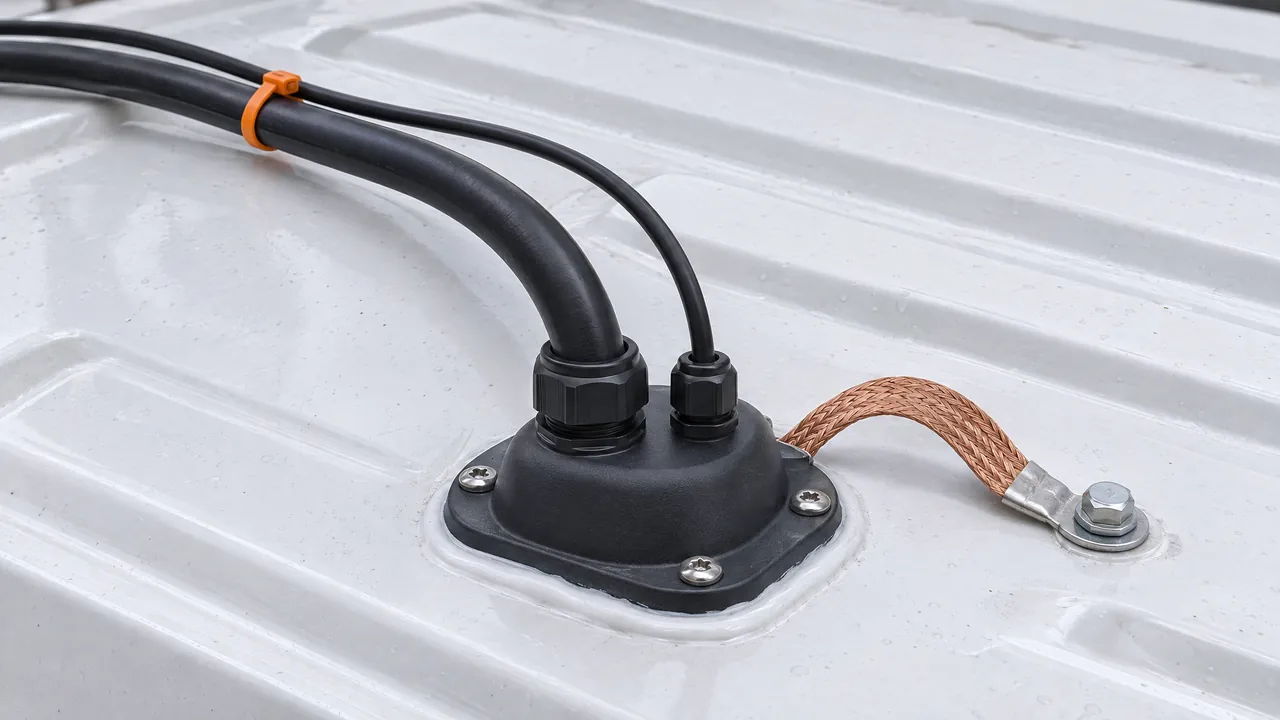
Low-loss coax like LMR-400 thrashes cheaper RG-58 over any meaningful distance. Keep runs short, refuse the sharp bends that strangle a signal, and never skip grounding, above all on a metal roof where lightning holds strong opinions.
Staying legal and keeping the peace
Signal boosters come wrapped in real regulation, so read your carrier's policy before bolting one in. Mount everything clear of airbags and sightlines, for reasons I trust are obvious. And please, don't point a directional Wi-Fi antenna at somebody else's campground connection. That's just bad manners wearing an engineering costume.
Fixing problems without losing your cool
Swap antennas around to isolate a fault before assuming catastrophe. A phone app or a portable spectrum tool beats guesswork every single time. Give mounts and seals a look after storms, check coax and connectors once a year, and bring in a professional if VSWR refuses to budge downward or your radome shows a crack.
Three builds for three kinds of students
A short campus commute wants a compact omni cellular antenna, a small Wi-Fi patch, a magnetic mount, and budget coax. Nothing exotic. Just dependable. Field-research vans earn their keep with a roof-mounted directional cellular antenna, a dedicated GPS unit, a carrier-compliant booster, and LMR-400 cable the whole way through. Vanlife wanderers should chase a multi-band combo antenna, omnidirectional Wi-Fi, a lockable mount, and, with luck, something that cooperates with a solar setup.
Where to keep learning
Wander through IMPAQ MSN's guides across all three antenna categories, or simply email me with your strange edge-case question, since one always exists. Go forth and stay connected, even when the road squirrels plot against you.
Cheat sheet
Omni buys convenience, directional buys range, multi-band buys flexibility. Keep cables short, ground everything with discipline, and never trust a magnetic mount without a strip of duct tape standing by.